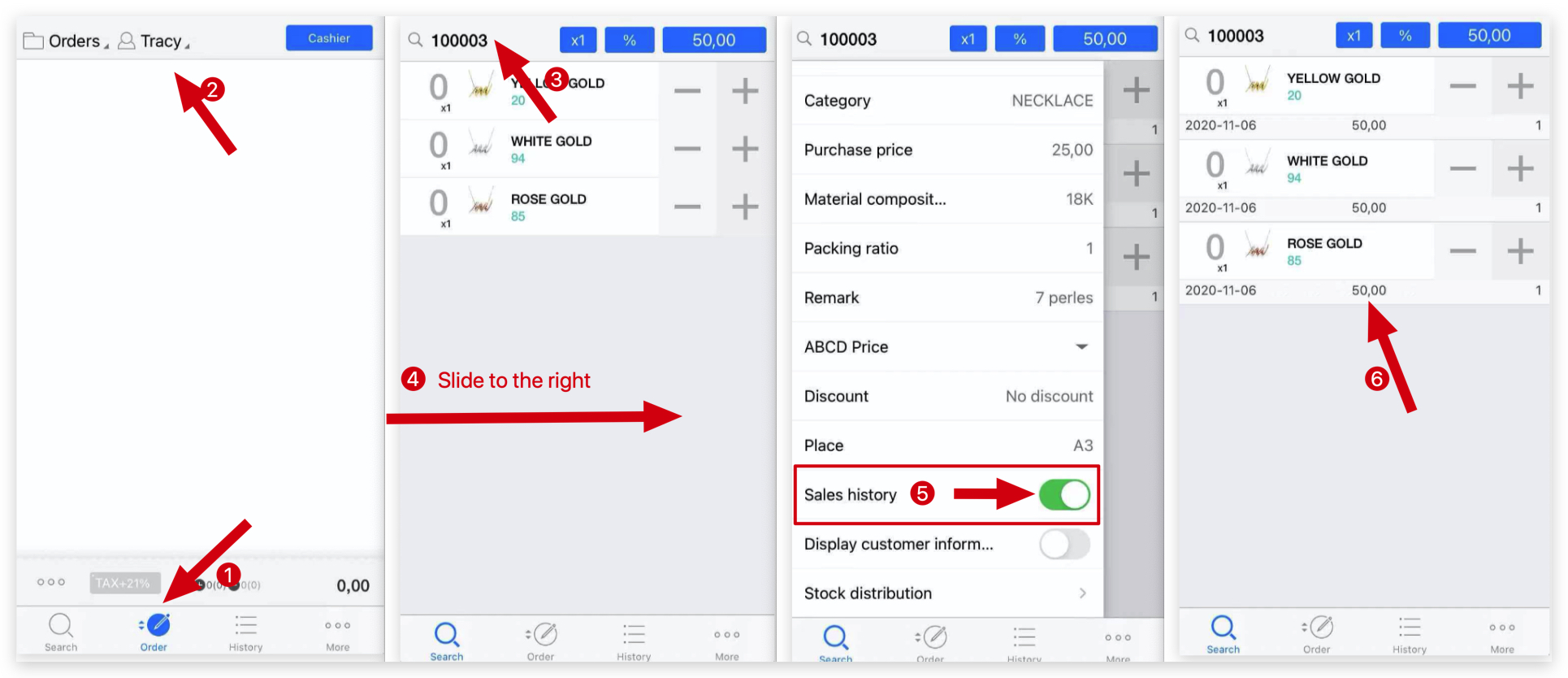
Q: How to check customer's last purchase price in MC Seller?
A: MC Seller → Tap Order → Select Client first → Enter reference number→ Slide to the right on the page → Switch on " Sales history" → You can see customer's last purchase price
Q: How to limit the orders that an MC Seller account can view?
A: You can set a limit on the orders that an MC Seller account can view by following the path below:
Path: MC Boss → More → Settings → Select the MC Seller account → Scroll down to the Customer section → Enable View Customer Transaction Data → Enter the permitted order amount under Visible Customer Order Limit
 Please make sure the “Client History” feature is enabled in the settings:
 If it’s not enabled yet, scroll down to the “Not Activated” feature list, find “Client History,” and click “Activate”
