Q: How to modify the order creation time on MC Boss?
Q: The order creation time is incorrect, how to modify it?
Method 1: Modify Individually
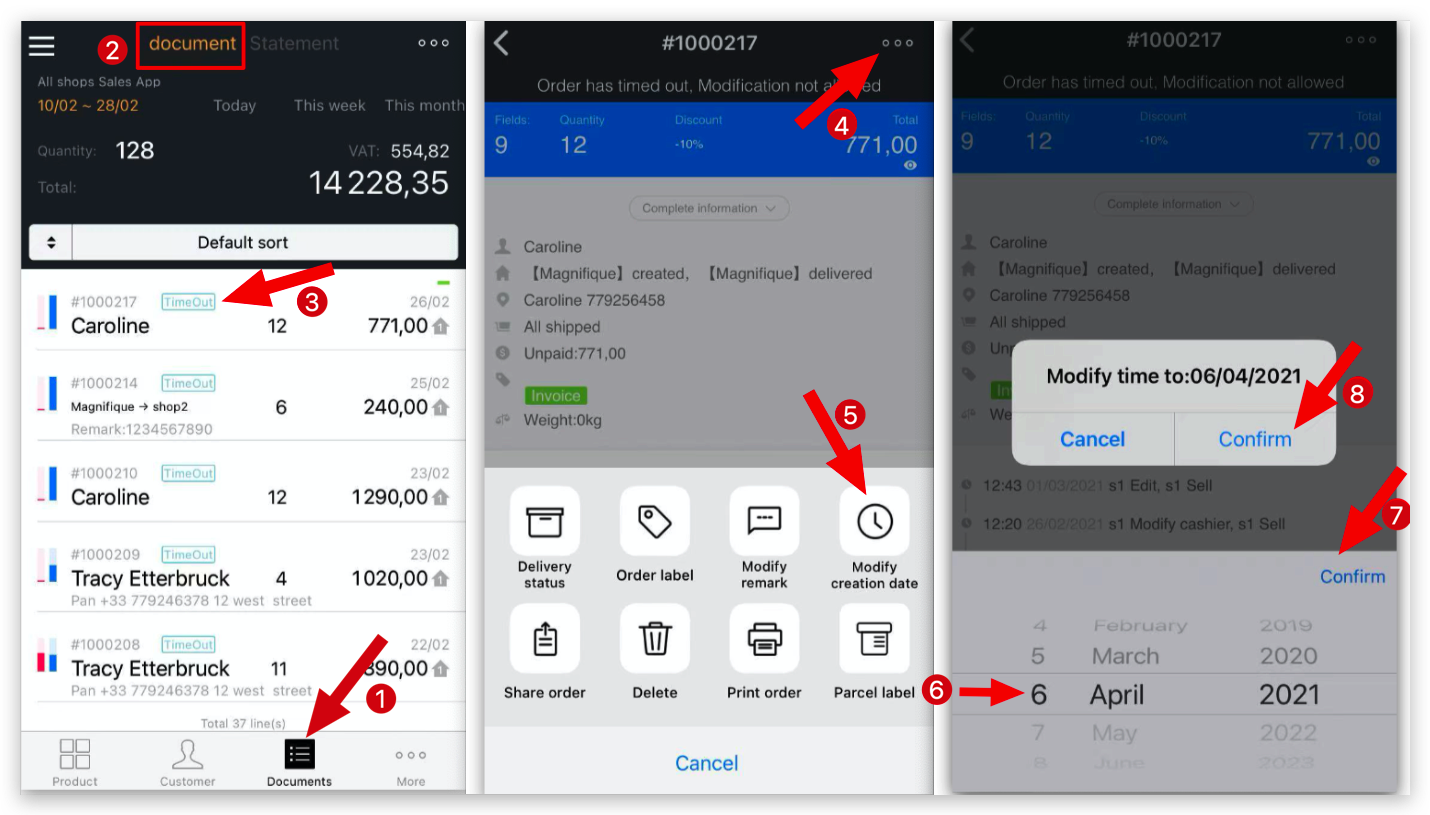
A: MC Boss → Document → Select the order → Tap the “⋯” icon in the top-right corner → Modify creation date→ Select the date → Tap Confirm → Confirm
Method 2: Modify in Batch
Path: MC Boss → Document → Tap the “⋯” icon in the top-right corner → Select the orders you’d like to modify → Modify Creation Date → Select the date → Tap OK → OK
